



Subscribe to our newsletter
Get the latest updates on new products and upcoming sales
New best sellers added to our sale

Call Us On
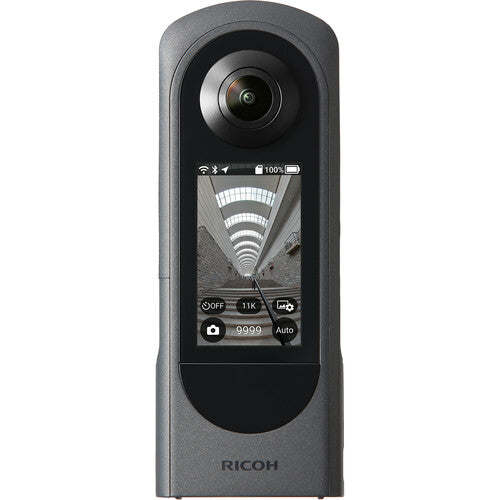
Capture and view immersive, high-resolution 360° video and still images with the THETA X 360° Camera from Ricoh. Based around dual 48MP CMOS sensors and twin f/2.4 lenses, the THETA X records up to 5.7K30 video and 60MP still photos and offers live streaming in 4K30 AVCH/H.264. A user-friendly 2.25" touchscreen display enables you to both preview and view your images, start/stop recording, take photos, and control the camera settings, all without needing to link to a smartphone. This compact camera is also the first of Ricoh's 360° line to offer swappable batteries and microSDXC card recording in addition to the 46GB of internal memory.
Real-time, in-camera stitching greatly reduces the time needed to process your 360° videos on your computer and integrated image stabilization smooths out your handheld action. The THETA X connects quickly using Bluetooth 5.0 without needing to enter an SSID (network name) and also offers dual-band Wi-Fi connectivity. Use the separately available cap to protect the camera lenses and to serve as a tabletop stand.
Maximum capture times at 77°F (due to potential overheating):
We have a 14-day return policy, which means you have 14 days after receiving your item to request a return.
To be eligible for a return, your item must be in the same condition that you received it, unused, with packaging in tact. You’ll also need the proof of purchase or order number.
To start a return or to ask any questions about returns you can contact us at sales@hdewcameras.com or call us on 02086695668. Please note that returns will need to be authorised before you send the item to us. In this case the product must be unused and returned with a trackable postal service. Please note neither we or the supplier can cover the costs of returning an unwanted item. If you do want to return it please make contact first.
Get the latest updates on new products and upcoming sales
Thanks for subscribing!
This email has been registered!


You have copied the placement for the Product Page.
Go back to the App Embeds section, and in the Paypal Advanced Settings, paste the copied value into the Product Page field and click the 'Save' button in the top right corner.