



Subscribe to our newsletter
Get the latest updates on new products and upcoming sales

Call Us On
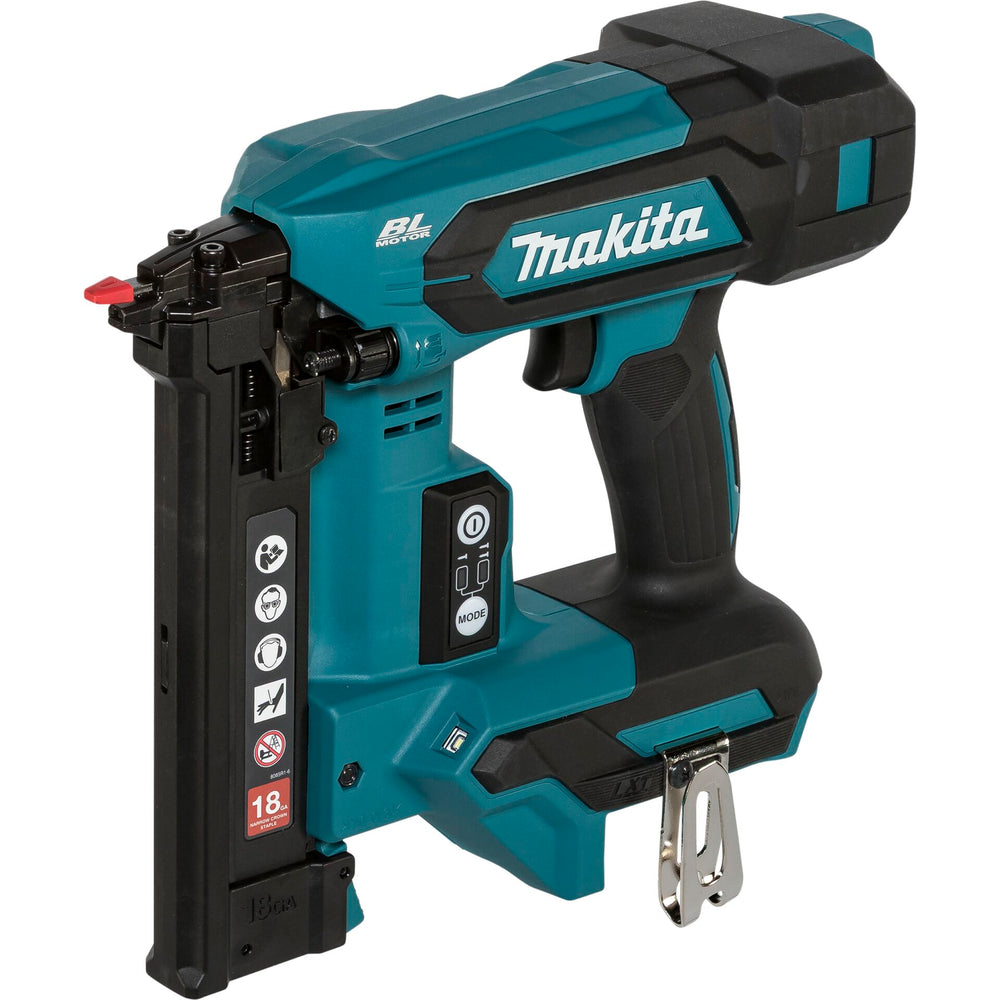
If you're looking for a mobile stapler that works without compressed air and still delivers strong performance, this model is a suitable choice. The Makita DST630Z uses a pneumatic spring mechanism and is designed for precise fastening. With two power levels and tool-free depth adjustment, you stay flexible across different materials.
Flexibility for your projects
Switching between single and continuous firing allows you to work quickly without constantly pressing the trigger. The LED work light with pre- and post-glow function ensures good visibility even in poor lighting conditions. The ergonomically shaped grip feels comfortable in your hand and supports you during longer tasks.
Efficient and well thought-out
With a magazine capacity of 110 staples and a high firing rate, you work quickly and without interruptions. The dry-fire lock protects the device and your workpiece. The driving depth can be adjusted easily using a dial – no tools needed.
Features:
Technical Specifications:
Scope of delivery:
We have a 14-day return policy, which means you have 14 days after receiving your item to request a return.
To be eligible for a return, your item must be in the same condition that you received it, unused, with packaging in tact. You’ll also need the proof of purchase or order number.
To start a return or to ask any questions about returns you can contact us at sales@hdewcameras.com or call us on 02086695668. Please note that returns will need to be authorised before you send the item to us. In this case the product must be unused and returned with a trackable postal service. Please note neither we or the supplier can cover the costs of returning an unwanted item. If you do want to return it please make contact first.
Get the latest updates on new products and upcoming sales
Thanks for subscribing!
This email has been registered!


You have copied the placement for the Product Page.
Go back to the App Embeds section, and in the Paypal Advanced Settings, paste the copied value into the Product Page field and click the 'Save' button in the top right corner.