



Subscribe to our newsletter
Get the latest updates on new products and upcoming sales
LENS SALE - NOW LIVE

Call Us On
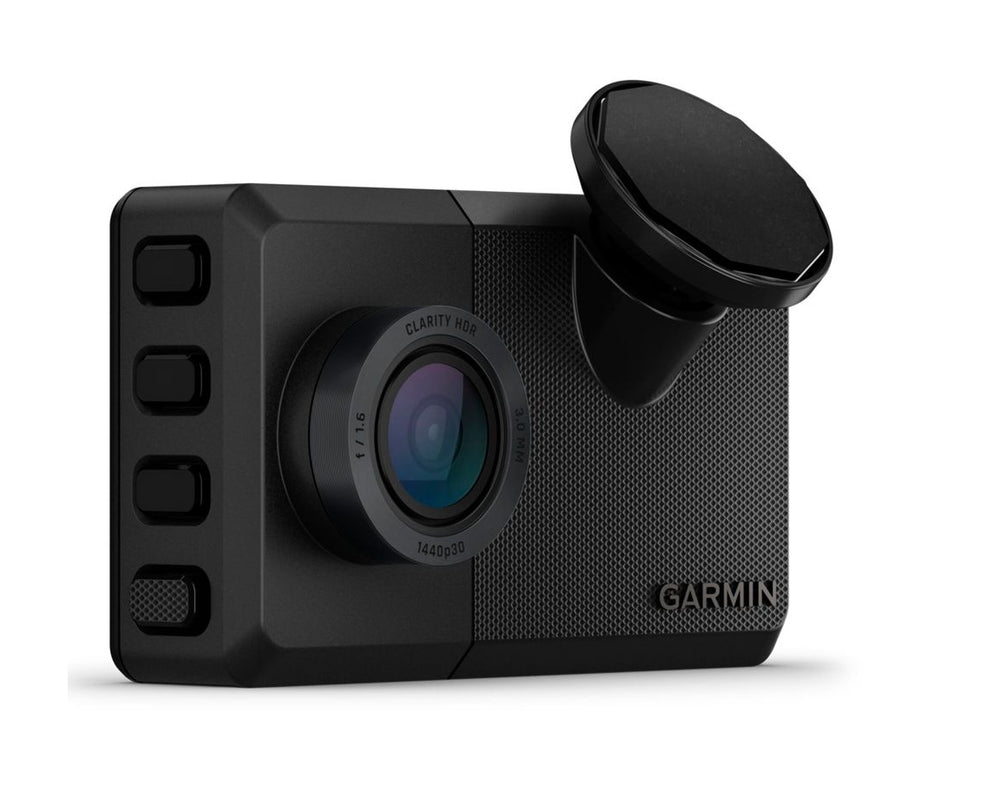
LTE connectivity (subscription plan required) enables anytime access to live view, location tracking, theft alerts and parking guard notifications from your dash cam to the app on your smartphone.
1 Certain conditions may impair the warning function.
LIVE VIEW
With an active LTE subscription, you can access a live view from your dash cam anytime when using the Garmin Drive app. Some vehicles will require use of the Constant Power Cable.
VIEW AND SHARE VIDEOS
Saved videos are stored securely in the online Vault and can be accessed by using the Garmin Drive app. With an LTE subscription or Wi-Fi connectivity, share video clips with others by sending a link and passcode.
LOCATION TRACKING
Enjoy the convenience of checking on your vehicle’s location anytime when using the Garmin Drive app. This feature requires an active LTE subscription.
THEFT ALERTS
If someone drives your vehicle without your phone inside, you’ll receive an alert through the Garmin Drive app. This feature requires an active LTE subscription.
PARKING GUARD
When your Garmin Dash Cam Live detects an incident affecting your parked car, you’ll receive a notification in the Garmin Drive app, with a video clip of the detected incident. This feature requires an active LTE subscription.
INCIDENT DETECTION
When an incident is detected, this camera automatically saves video from just before, during and after it happens to help capture a full recording of the event along with GPS location, date and time.
LTE SUBSCRIPTION
Activate an LTE Vault subscription plan in the Garmin Drive app to enable location tracking, theft alerts and parking guard notifications. LTE connectivity moves beyond the limitations of a Wi-Fi connection so you can access a live view from almost anywhere, anytime.
CRISP HD VIDEO
With 1440p HD video, a wide 140-degree lens and Garmin Clarity HDR optics, this dash cam records crisp footage of important details, day and night. Use the 3" LCD display on the camera to align the camera and change the settings.
AUTOMATIC RECORDING
Once plugged into your vehicle’s power source, the dash cam continually records, so you can set it and forget it.
VOICE CONTROL
Keep your hands on the wheel, and use voice commands to tell the camera to save video, start and stop audio recording, take still pictures and more. This feature is available in English, German, French, Spanish, Italian and Swedish.
FORWARD COLLISION WARNINGS
To encourage safer driving, get alerts if you’re driving too close to the vehicle ahead. Certain conditions may impair the warning function.
LANE DEPARTURE WARNINGS
Receive alerts if you drift off the road or into oncoming traffic. Certain conditions may impair the warning function.
“GO” ALERTS
This feature notifies you when stopped traffic in front of you has started to move.
RED LIGHT AND SAFETY CAMERAS
This camera’s got you covered with alerts for nearby red light cameras and speed cameras (not available in all regions).
TRAVELAPSE FEATURE
Share your drive with friends by using the Travelapse feature. Easily condense hours of driving footage into minutes of highlights for a fun, creative video.
We have a 14-day return policy, which means you have 14 days after receiving your item to request a return.
To be eligible for a return, your item must be in the same condition that you received it, unused, with packaging in tact. You’ll also need the proof of purchase or order number.
To start a return or to ask any questions about returns you can contact us at sales@hdewcameras.com or call us on 02086695668. Please note that returns will need to be authorised before you send the item to us. In this case the product must be unused and returned with a trackable postal service. Please note neither we or the supplier can cover the costs of returning an unwanted item. If you do want to return it please make contact first.
Get the latest updates on new products and upcoming sales
Thanks for subscribing!
This email has been registered!


You have copied the placement for the Product Page.
Go back to the App Embeds section, and in the Paypal Advanced Settings, paste the copied value into the Product Page field and click the 'Save' button in the top right corner.