



Subscribe to our newsletter
Get the latest updates on new products and upcoming sales
New best sellers added to our sale

Call Us On
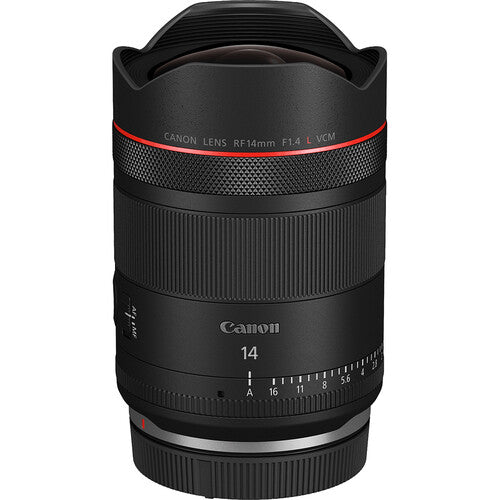
An exceptionally wide and fast lens, the Canon RF 14mm F1.4L VCM is a uniquely compact and versatile ultra-wide intended for both photo and video use. Its function-first design caters to hybrid content creators who value impressive image quality, L-series durability, fast autofocus, virtually no focus breathing, and intuitive, silent, and customizable handling.
In The Box:
We have a 14-day return policy, which means you have 14 days after receiving your item to request a return.
To be eligible for a return, your item must be in the same condition that you received it, unused, with packaging in tact. You’ll also need the proof of purchase or order number.
To start a return or to ask any questions about returns you can contact us at sales@hdewcameras.com or call us on 02086695668. Please note that returns will need to be authorised before you send the item to us. In this case the product must be unused and returned with a trackable postal service. Please note neither we or the supplier can cover the costs of returning an unwanted item. If you do want to return it please make contact first.
| Focal Length |
14mm
|
| Aperture |
Maximum: f/1.4
Minimum: f/16 |
| Lens Mount |
Canon RF
|
| Lens Format Coverage |
Full-Frame
|
| Angle of View |
114°
|
| Minimum Focus Distance |
9.4" / 24 cm
|
| Magnification |
1:9 Macro Reproduction Ratio
0.11x Magnification |
| Optical Design |
18 Elements in 13 Groups
|
| Aperture/Iris Blades |
11, Rounded
|
| Focus Type |
Autofocus
|
| Image Stabilization |
No
|
| Filter Size |
Gel Filter (Rear)
|
| Dimensions |
ø: 3 x L: 4.4" / ø: 76.5 x L: 112 mm
|
| Weight |
1.3 lb / 578 g
|
| Package Weight |
1.965 lb
|
| Box Dimensions (LxWxH) |
9.2 x 5.4 x 5.3"
|
Get the latest updates on new products and upcoming sales
Thanks for subscribing!
This email has been registered!


You have copied the placement for the Product Page.
Go back to the App Embeds section, and in the Paypal Advanced Settings, paste the copied value into the Product Page field and click the 'Save' button in the top right corner.