



Subscribe to our newsletter
Get the latest updates on new products and upcoming sales

Call Us On
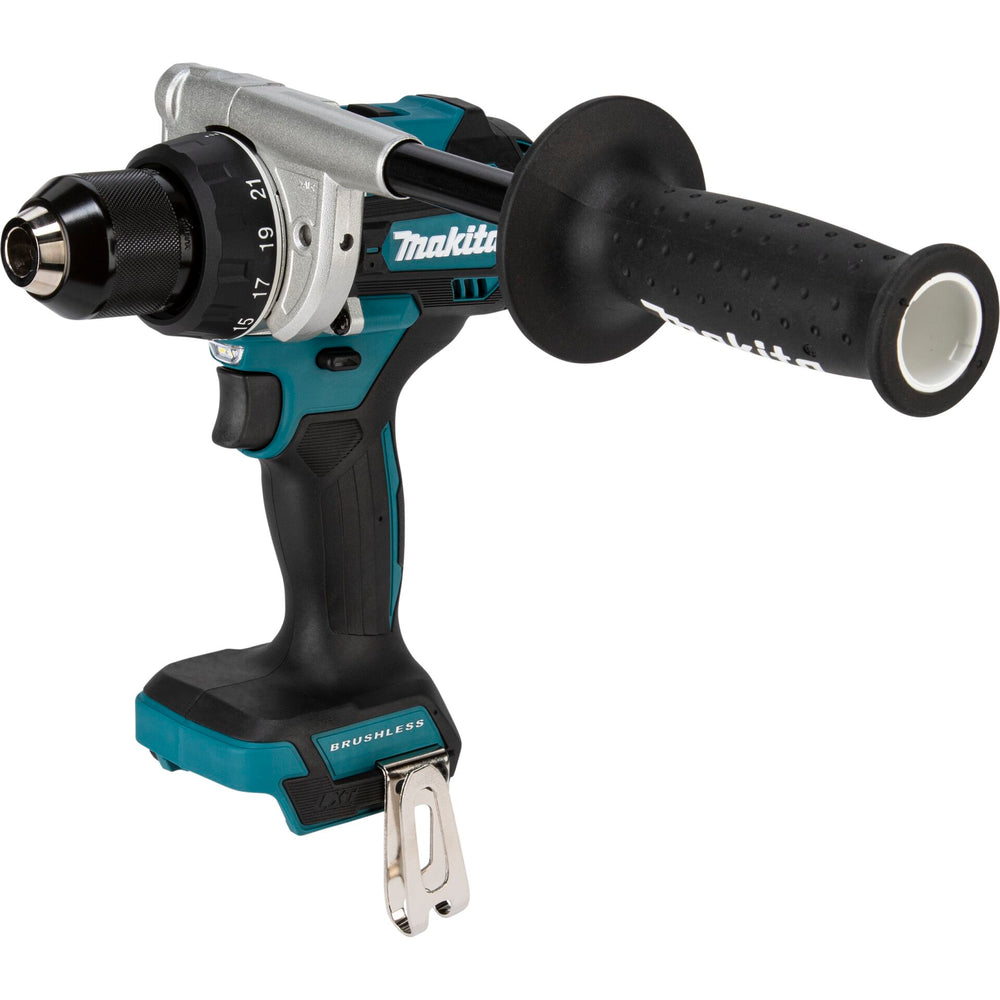
If you regularly carry out powerful drilling and screwing tasks, this tool is a reliable support. The compact cordless drill driver with brushless motor and full metal gearbox gives you high performance in a handy design. The built-in double LED provides good visibility – even in poor lighting conditions.
For precise work with high torque
With its 2-speed gearbox and metal drill chuck, the drill driver is suitable for demanding tasks. The electronic brake and overload protection increase safety during use. Even during longer jobs, the tool remains comfortable to hold – due to its low weight and compact shape.
More control and convenience for every job
The 21 torque settings help you adjust the power exactly to the material. The deep discharge protection protects the battery and extends its life. With the quick-release chuck, you change tools quickly and save time while working.
Features:
Technical Specifications:
Scope of delivery:
We have a 14-day return policy, which means you have 14 days after receiving your item to request a return.
To be eligible for a return, your item must be in the same condition that you received it, unused, with packaging in tact. You’ll also need the proof of purchase or order number.
To start a return or to ask any questions about returns you can contact us at sales@hdewcameras.com or call us on 02086695668. Please note that returns will need to be authorised before you send the item to us. In this case the product must be unused and returned with a trackable postal service. Please note neither we or the supplier can cover the costs of returning an unwanted item. If you do want to return it please make contact first.
Get the latest updates on new products and upcoming sales
Thanks for subscribing!
This email has been registered!


You have copied the placement for the Product Page.
Go back to the App Embeds section, and in the Paypal Advanced Settings, paste the copied value into the Product Page field and click the 'Save' button in the top right corner.