



Subscribe to our newsletter
Get the latest updates on new products and upcoming sales
USE CODE '25OFF' FOR £25 OFF ORDERS OVER £500 & '50OFF' FOR £50 OFF ORDERS OVER £1,000 - ENDS MIDNIGHT 30TH JUNE

Call Us On
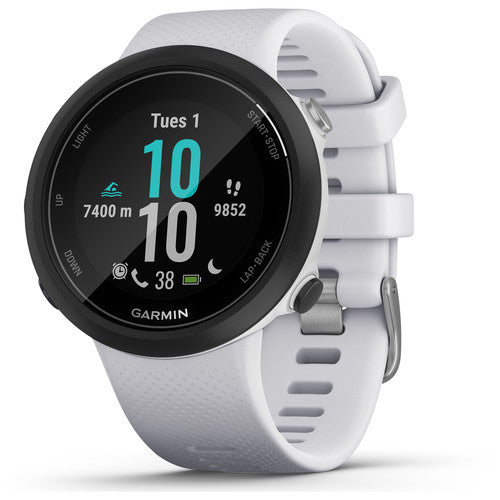
For those who prefer water-based workouts, the Swim 2 GPS Swimming Smartwatch from Garmin is waterproof up to 5 ATM, can monitor your heart rate underwater, and can track various aspects of your swim, such as pace, distance, stroke count, SWOLF (swimming efficiency), and more. Thanks to built-in GPS, you can use the Swim 2 both in the pool and out in open water. The Swim 2 can also be used on land with monitoring of wellness, such as stress and sleep, and fitness activities from steps to cycling and running.
The Garmin Swim 2 is constructed to be slim and lightweight, so it doesn't get in the way or drag you down while working out. The always-on, full-colour Garmin Chroma display with 5-button controls helps makes it easy to see how you're doing, even underwater. The Swim 2 also offers practical benefits as a connected device. Sign up to Garmin Connect to upload and store your results, get free analysis, custom workouts, and more. You can also pair the Swim 2 smartwatch with your Bluetooth-compatible smartphone to receive important notifications throughout the day.
We have a 14-day return policy, which means you have 14 days after receiving your item to request a return.
To be eligible for a return, your item must be in the same condition that you received it, unused, with packaging in tact. You’ll also need the proof of purchase or order number.
To start a return or to ask any questions about returns you can contact us at sales@hdewcameras.com or call us on 02086695668. Please note that returns will need to be authorised before you send the item to us. In this case the product must be unused and returned with a trackable postal service. Please note neither we or the supplier can cover the costs of returning an unwanted item. If you do want to return it please make contact first.
Get the latest updates on new products and upcoming sales
Thanks for subscribing!
This email has been registered!


You have copied the placement for the Product Page.
Go back to the App Embeds section, and in the Paypal Advanced Settings, paste the copied value into the Product Page field and click the 'Save' button in the top right corner.