



Subscribe to our newsletter
Get the latest updates on new products and upcoming sales
Lots of our best sellers now on sale!

Call Us On
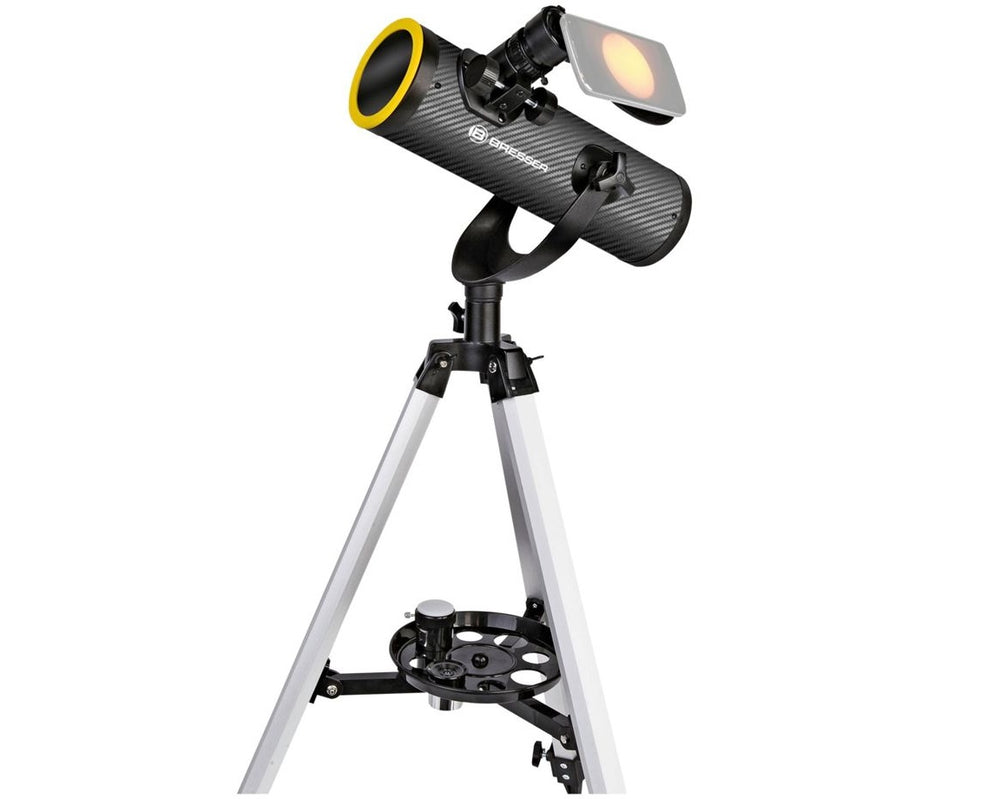
Be amazed by the unique experience of observing the Sun as well as the night sky!
The BRESSER Solarix Newton telescope also allows you to observe the Sun.
It has never been so simple, affordable and above all safe for the general public to observe both the night sky and the Sun with a telescope. This is made possible by the solar filter developed specifically for this telescope. The special foil inside reliably protects your eyes from infrared, ultraviolet and visible light during solar observations. Only the "damped" light of the Sun, which is harmless to the eyes, passes through and appears as a beautiful image in the eyepiece.
And the best part: With the included smartphone holder, you can easily take photos of your observation targets with your mobile phone – magnified and in colour1 just like with a telephoto lens!
Of course, the BRESSER Solarix 76/350 also has all the optical features needed for astronomical observations at night. The included accessories provide everything you need to get started right away. The Newton reflector is quickly set up and ready to use with the detailed instructions.
Features:
Scope of delivery:
1 Colour reproduction depends on the observed object and exposure time.
We have a 14-day return policy, which means you have 14 days after receiving your item to request a return.
To be eligible for a return, your item must be in the same condition that you received it, unused, with packaging in tact. You’ll also need the proof of purchase or order number.
To start a return or to ask any questions about returns you can contact us at sales@hdewcameras.com or call us on 02086695668. Please note that returns will need to be authorised before you send the item to us. In this case the product must be unused and returned with a trackable postal service. Please note neither we or the supplier can cover the costs of returning an unwanted item. If you do want to return it please make contact first.
Get the latest updates on new products and upcoming sales
Thanks for subscribing!
This email has been registered!
You have copied the placement for the Product Page.
Go back to the App Embeds section, and in the Paypal Advanced Settings, paste the copied value into the Product Page field and click the 'Save' button in the top right corner.

